Designing research data downloads
Overview
Researchers needed downloadable datasets that aligned with their existing workflows. However, only a subset of Meta Content Library data could be downloaded due to privacy, policy, and regulatory constraints. My role was to design an experience that made those constraints understandable without creating confusion or eroding trust.
The problem
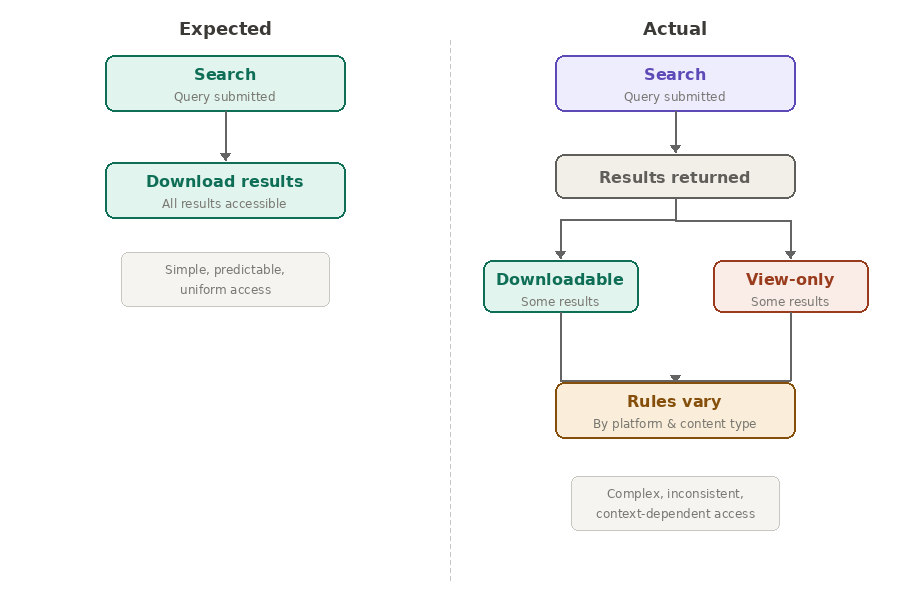
Researchers had a mental model mismatch. That creates uncertainty.
Researchers begin asking:
Why can I download this but not that?
What's included?
What's excluded?
Did I make the wrong search?
Am I missing data?
The moment uncertainty enters, trust decreases. For researchers, trust is everything.
Explaining download eligibility
The real problem was understanding eligibility.
There wasn’t a technical challenge creating downloads, but there was a content challenge around helping researchers understand:
What data qualified
Why some data didn't
How to compare available datasets
How to make informed decisions before downloading
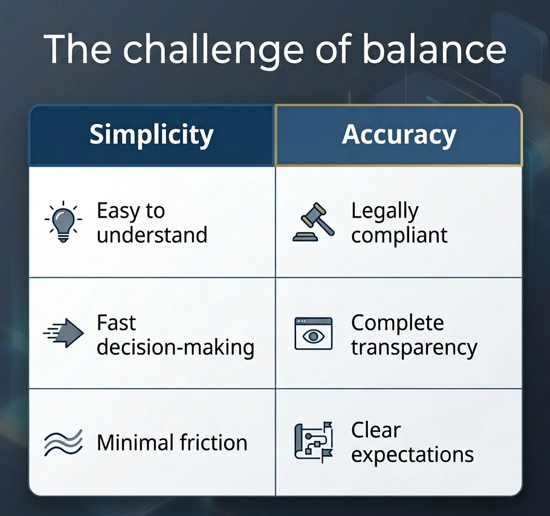
Making invisible rules visible
I added a Compare available data page that was linked from the homepage. Here researchers could compare downloadable data for each platform vs. view-only data for each platform. This allowed them to understand the differences before running searches.
Information hierarchy: I grouped the comparisons by platform since there were different details around what was included for Facebook and Instagram. This also future-proofed the page for the expansion to additional platforms.
Then I led with the data categories that were available for download, making it easy for researchers to know what was in this category at a glance.
Terminology: I experimented with how to refer to the downloadable vs. non-downloadable data, landing on an approach focused on emphasizing that the information available for download is a subset of all the public data in Meta Content Library.
Transparency: I used a simple table layout to explain the constraints without overwhelming researchers with detailed explanations.
Trust: By making the limitations explicit, we emphasized how Meta balanced the commitment to user privacy while making data available to researchers.
Integrating downloads into existing workflows
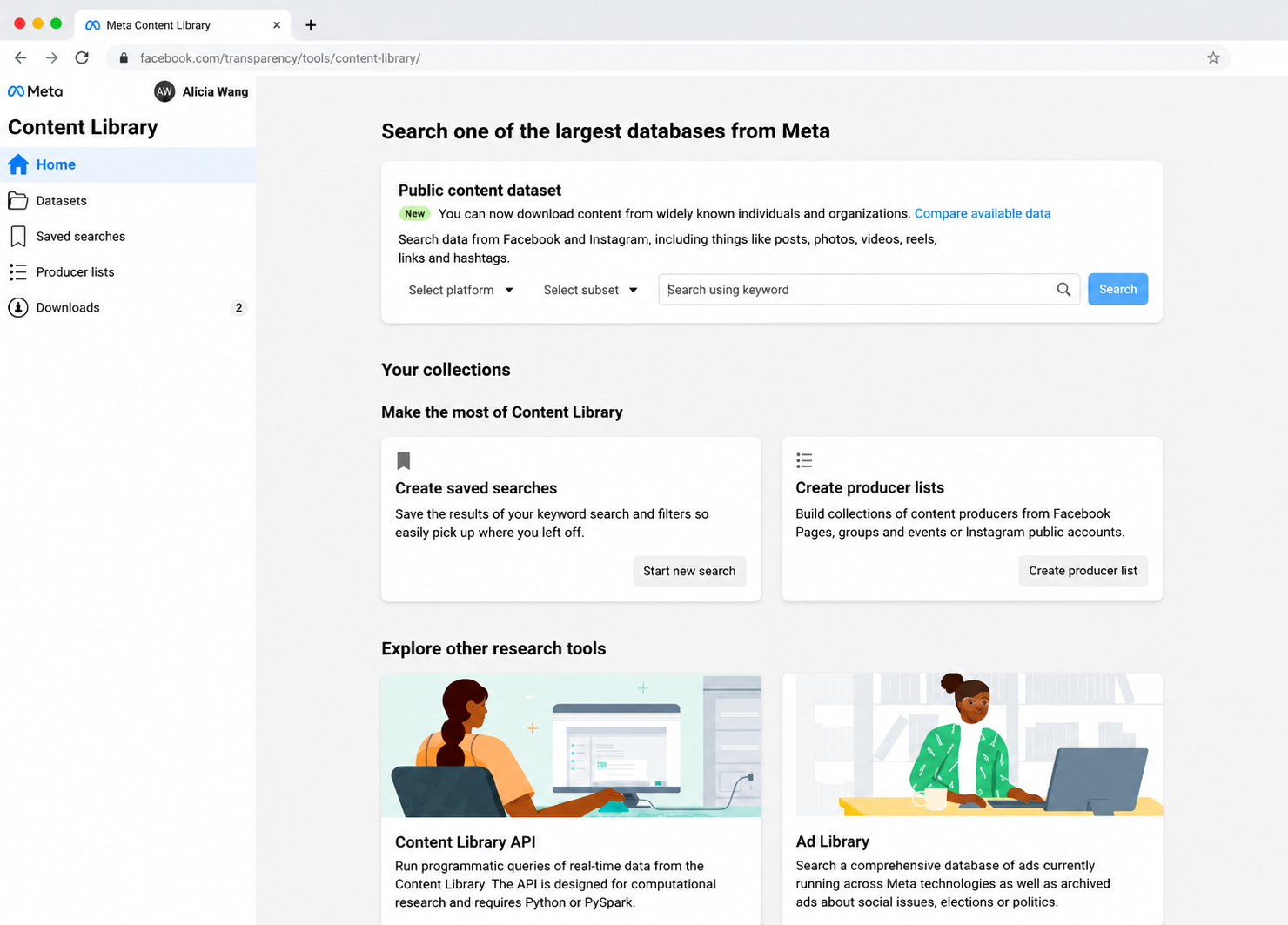
Downloads was one of the most requested features from researchers, so we wanted to make sure they could find it.
We achieved this by adding a homepage promotion at the top of the search bar with a New badge to call attention to it.
We also added an entry point to the left nav so researchers would easily be able to access this feature any time they wanted.
These additions helped to surface the capability.
Designing the download experience
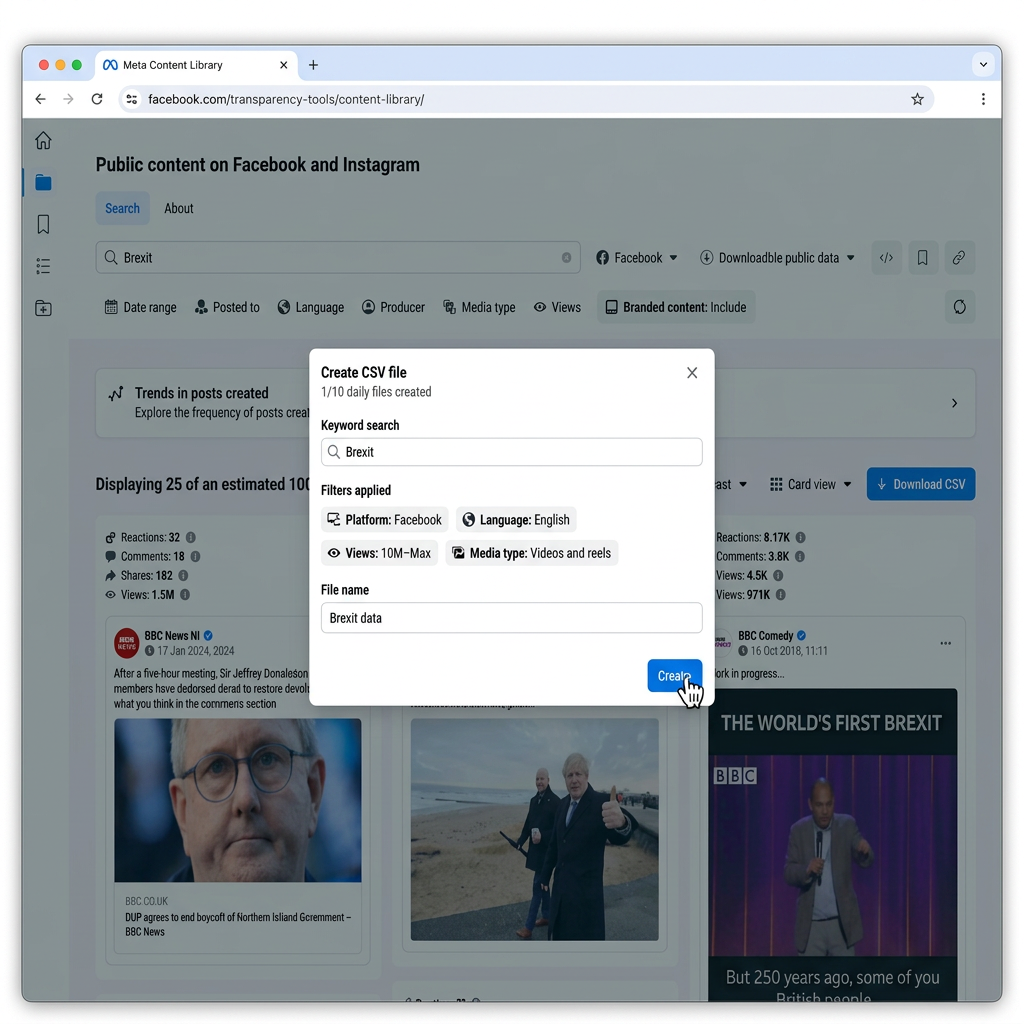
After researchers click the link to create the downloadable file, they can review the details of their search parameters and name the file. The file name is a required field to help the researchers identify their downloads later, both in Meta Content Library and on their local drives.
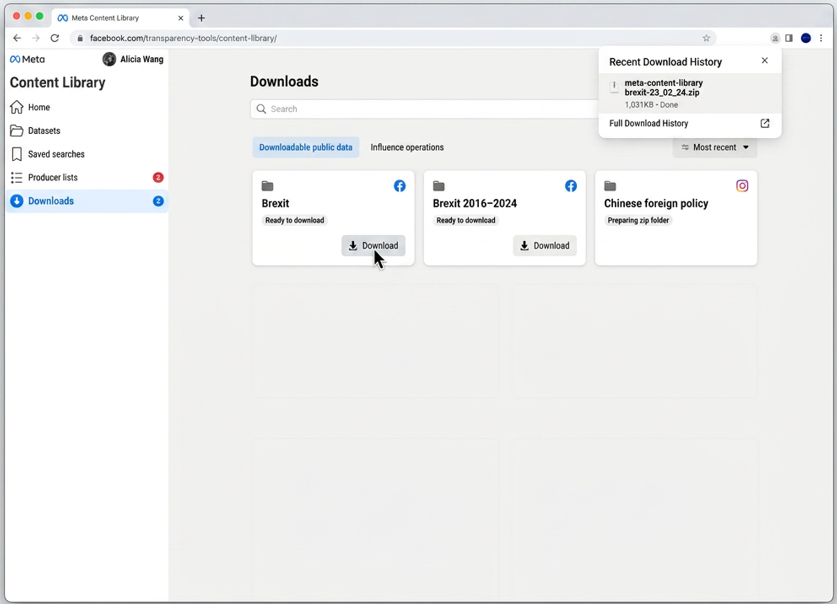
When researchers download the file, they now have a copy on their local machines. They can go on to create multiple exports on the same topic to support recurring investigations.
The file naming requirement wasn't just a form field. It supported organization and retrieval after download.
Results
With these designs, I translated complex policy and data-access constraints into an experience researchers could understand and trust. The end result balanced simplicity and accuracy with a nuanced design solution.