AP's transition to digital exams
Context
In 2020, the Advanced Placement Program transitioned from paper exams to digital testing due to the disruptions caused by COVID-19.
Millions of students and educators needed to understand a completely new testing experience.
Supporting 2.6M+ students during a global crisis
The problem
The goal
The result
The COVID-19 pandemic necessitated a shift from traditional paper-and-pencil exams to a first-of-its-kind, full-length digital testing model that could be taken at school or home.
Redesign the digital testing communication strategy to ensure students and educators across two major web platforms (AP Central and AP Students) understood the technical requirements, security policies, and steps to successful testing.
A synchronized global launch of three testing administrations (May–June) supported by a suite of new digital readiness tools and instructional resources.
Challenges
Users had questions like:
How do digital exams work?
What technology do I need?
How do I practice?
What happens if something goes wrong?
How is security handled?
At the same time: policies were evolving, information changed frequently, and multiple audiences needed different guidance.
My responsibilities
Content strategy
Information architecture
UX writing
Web content design
Audience segmentation
Cross-functional collaboration
Strategy: Agile response to radical uncertainty
We utilized an agile process, including daily scrums and backlog grooming, to pivot quickly as school closure data evolved.
Designing for a crisis: I managed work specifically developed as unique, pandemic-driven scope that sat outside of my business as usual work.
Stakeholder synergy: I coordinated between AP Program leadership, business teams, and brand experience colleagues to align messaging on complex policies like synchronous global start times and device requirements.
Content goals
Reduce anxiety during a stressful time.
Help educators and students prepare successfully.
Prevent tech support issues by providing clear details.
Build confidence in digital testing.
Designs for high-stakes readiness
This project was less about aesthetic design and more about information architecture and service design.
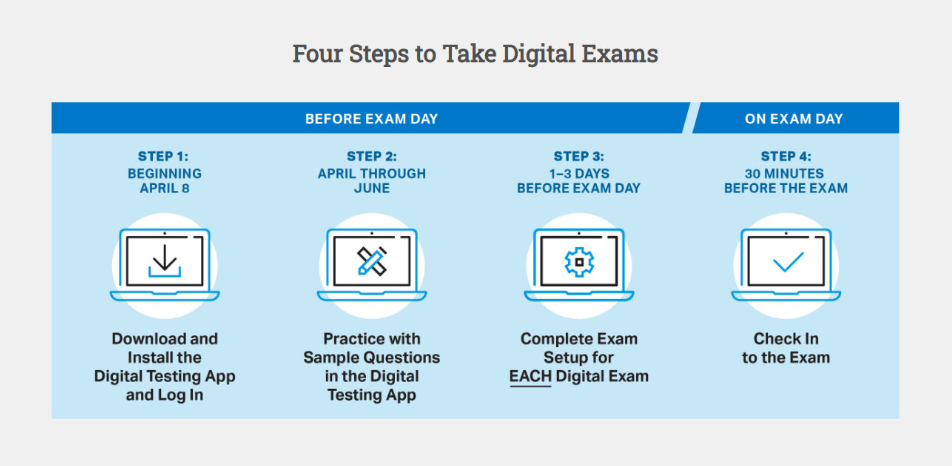
The four steps framework: I created a clear, sequential path for students to ensure their devices were viable for test day.
Steps 1–4: Guided users through downloading the app, practicing, and completing a 3-day-prior tech check.
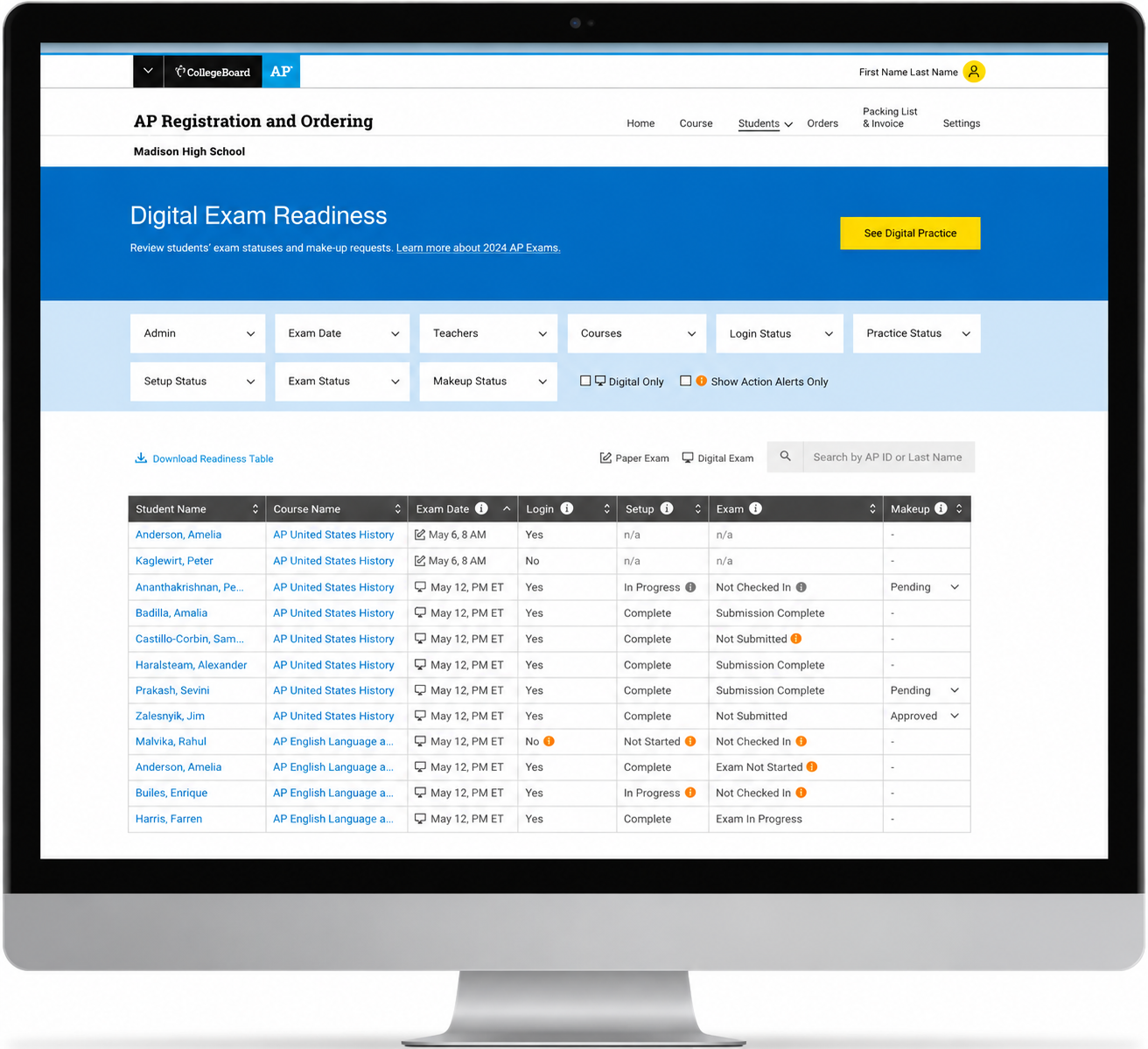
For educators: I prioritized digital exam readiness dashboards to help them track their students' progress in real-time.
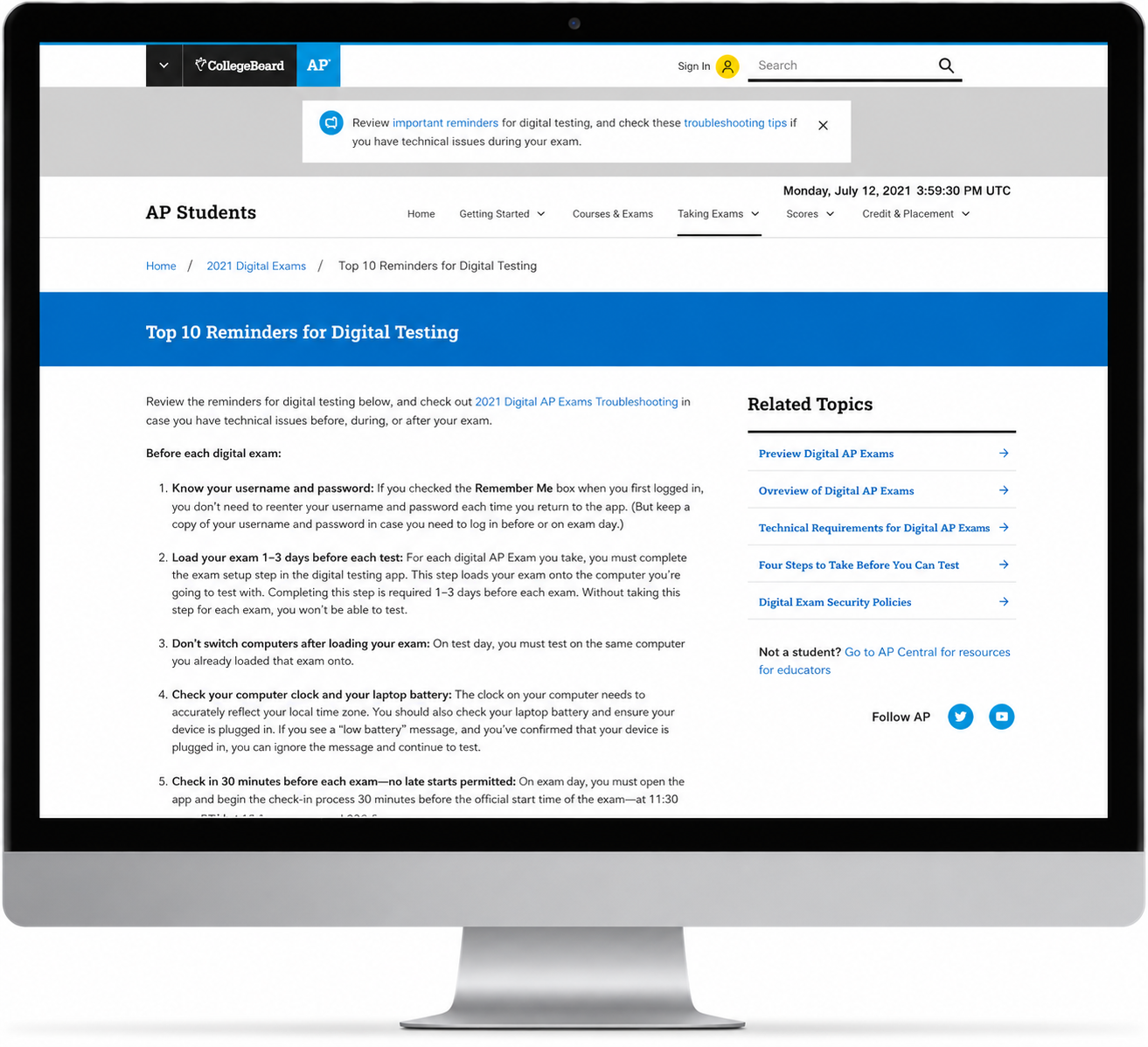
For students: I developed student-friendly content like the Top 10 Reminders for Digital Testing and troubleshooting guides to reduce anxiety in a high-pressure environment.
Persona-driven content
Solving complex friction points
Communicating complex technical constraints as user benefits
The no back-button challenge: I had to explain a critical security feature, that students could not return to previous questions, in a way that maintained user trust while ensuring exam integrity. I did this by emphasizing the need for fairness during testing, which is an area of concern among educators and students.
Full course coverage: I also needed to explain the strategic decision to maintain full-length exams to ensure colleges continued to grant credit. Rather than just outlining the policy, I focused on the supports provided by the the AP Program, including the creation of new Course Pacing Guides for teachers who were behind due to the pandemic.